

Request leave in two clicks, approve in one — all in Slack.
Request time off in Slack or on the web dashboard, approve with one click and see who is off on the team calendar — without a heavy HR suite.
Built for small teams that already use Slack.
How it works
Connect Slack
OffTracker is added to your Slack workspace and your team members are imported from Slack.
Request time off
Employees open a request with the /izin command in Slack or on the web dashboard; the right approver is found automatically.
Approve with one click
Approvers get Approve and Reject buttons in Slack, and the requester is notified of the decision.
Everything around time off, in one lightweight tool
OffTracker is Slack-first: if your team uses Slack, it fits into the way you already work.
Leave workflow in Slack
Request, approve, cancel and ask “who’s off today?” — where your team already talks.
Team calendar
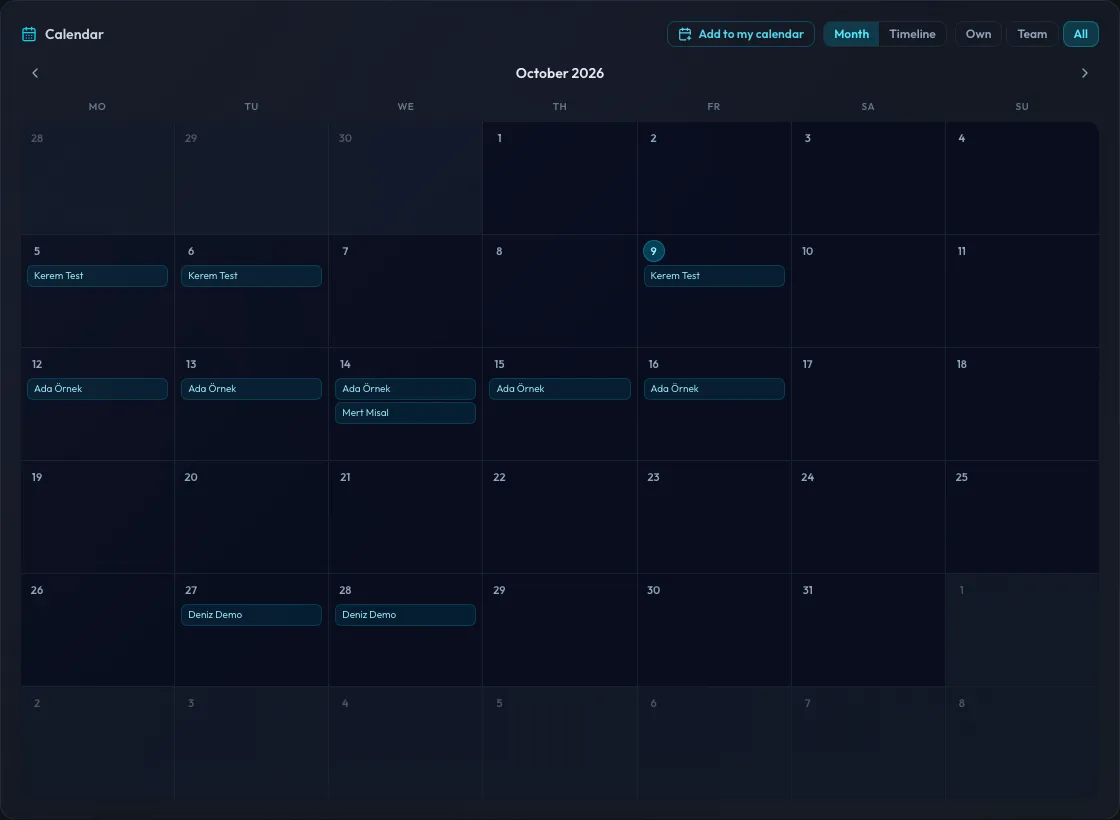
Month and timeline views on the web dashboard, updated in real time. Team views show approved leave with names and dates only.
Team approvers
Each team can have its own approvers; if a team has none, requests go to company-wide approvers.
Roles and permissions
Owner, HR Admin, Approver and Employee roles are kept separate, so the right person makes the right decision.
Balances, policies and holidays
Leave types, annual entitlements, public holidays and hourly leave. Weekends and public holidays are not counted in the duration.
Email notifications
Optional emails for requests, approvals, rejections and cancellations, each linking to the leave on the dashboard.
Birthday celebrations
Optional channel announcements, personal messages and a birthday day off.
Audit trail and exports
Important actions are recorded in an audit log; Owners and HR Admins can export leave and balance reports.
Not a heavy HR suite.
A leave workflow connected to the workspace your team already uses.
Today it works with Slack: requests, approvals and notifications stay where the conversation happens. No payroll and no performance module — requesting and approving time off, balances and team visibility in one simple tool.
Good to know
Languages
The web dashboard is available in Turkish and English. Slack commands and messages are currently in Turkish.
Data protection
Personal data is encrypted at rest, and each workspace’s data is kept in its own isolated database.
Pricing
Prices are published in Turkish lira, excluding VAT, and depend on the number of active employees.
Interested in OffTracker for your team?
Tell us a little about your team and how you handle time off today. Email us at hello@offtracker.app.
Already using OffTracker? Contact support at support@offtracker.app.